Connect card.
Your business card, live on your own website. People scan or tap it, leave their details, and get yours straight back.
How it works
One QR code, one tap, and you've swapped details properly.
- Step 1 / Them
Scan or tap
Put your card's QR code on your stand, a sticker or the back of a printed card, or write it to an NFC card they tap with their phone.
- Step 2 / Them
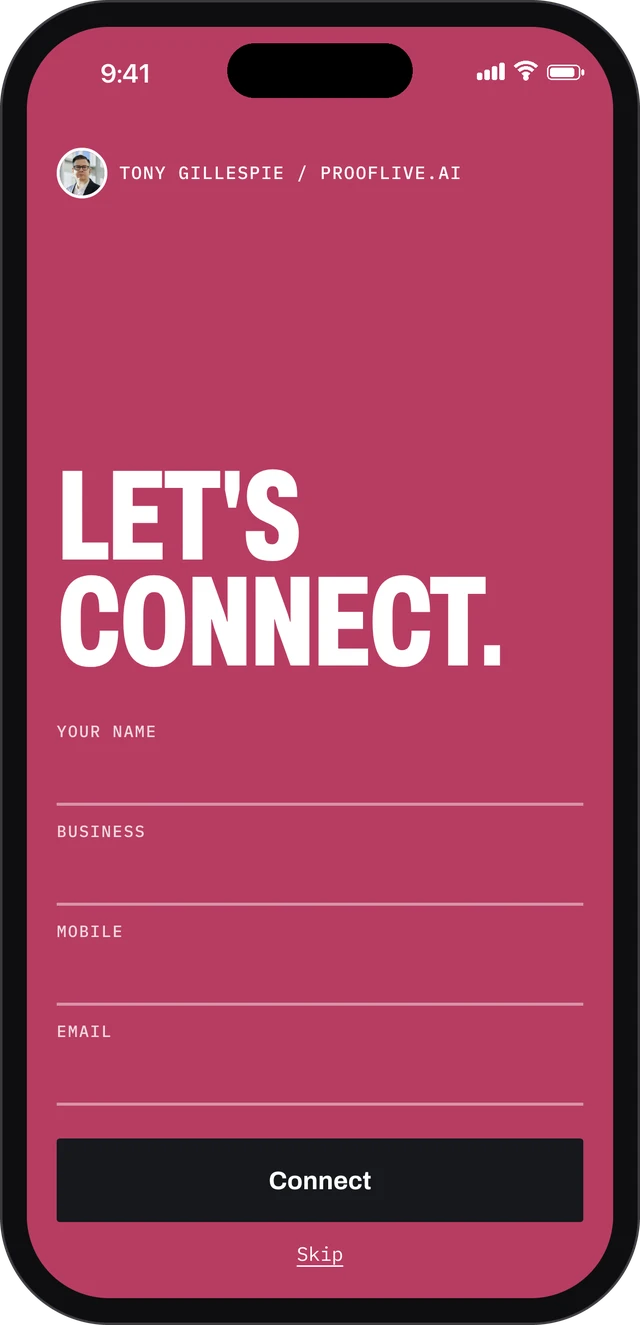
Let's connect
They leave their name, business, mobile and email. Their phone fills it in for them, with no puzzle to solve. Or they skip straight to your card.
- Step 3 / You
You get the lead
Their details land in your inbox and your Leads inbox, and they get a thank-you email from you with your details and your card.
- Step 4 / Them
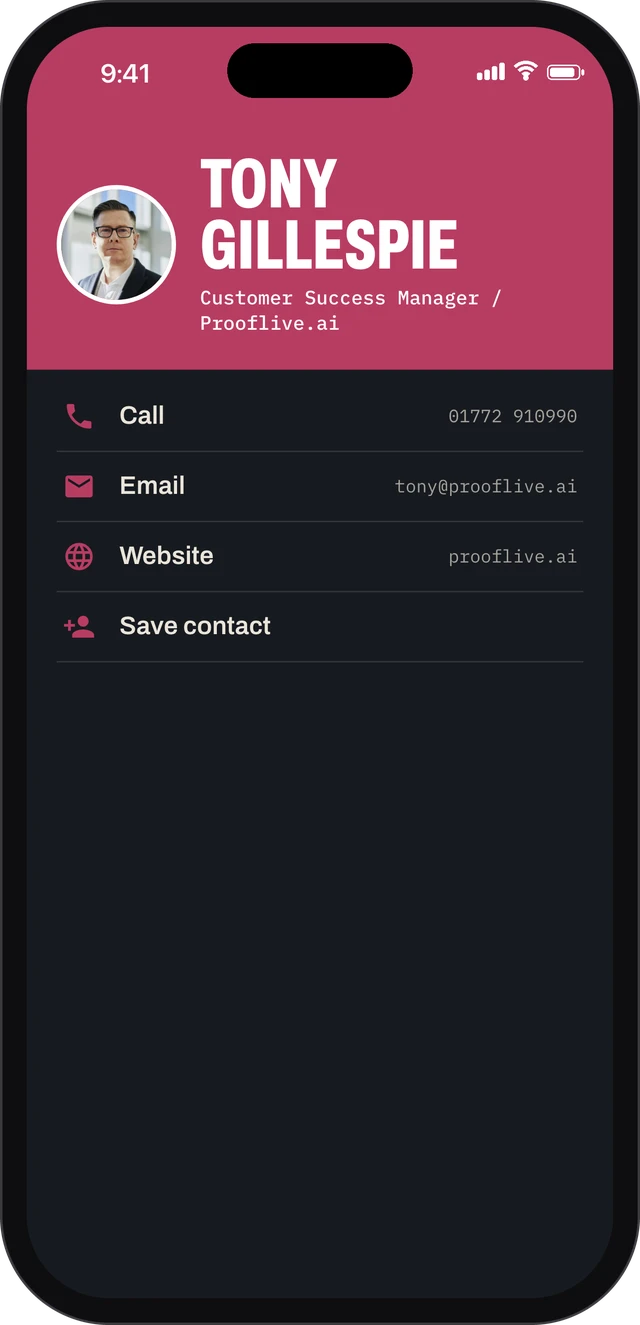
They save you
Call, text, WhatsApp, LinkedIn, email and your website, all one tap away, and Save contact puts you in their phone.
Who it's for
Anyone who meets customers face to face.
- Networking and events. Swap details in seconds, and follow up with everyone who connected.
- Trade shows. A QR code on the stand turns every conversation into a lead you can call back.
- Trades on site. Leave your card on the van or the quote, and the customer saves your number properly.
- Salons, studios and shops. A card at the till that books people in and brings them back.
Questions
Do people have to fill in the form?
No. There's a Skip link straight to your card.
Where do their details go?
To your email and your Leads inbox, with a note that they came from your Connect card.
Do they need an app?
No. It's a page on your own website, so any phone camera or NFC tap opens it.
What's on my card?
Your photo, name and role, how to reach you, a Save contact button and a button of your choice, such as Book, Shop or Get a quote.
Get your Connect card.
- Scan or tap
- A QR code or an NFC card
- Connect
- Their details to you, yours to them
- Save
- You in their contacts in one tap